remote
Execute playbooks or commands on a remote AttackMate instance.
Note
The remote node must be running the AttackMate API Server. Refer to its README for installation and setup instructions. The AttackMate Ansible role also supports deploying AttackMate as an API server via a role variable.
Remote connections are defined in the remote_config section of the configuration file.
If no connection is specified, the first entry in the remote_config section is used as default.
Each entry requires at minimum a url a username, password, and cafile
for TLS certificate verification.
remote_config:
  my-remote-instance:
    url: https://192.42.0.254:8443
    username: admin
    password: secret
    cafile: /path/to/ca.pem
See also
remote_config for full reference for configuring remote connections
Warning
Options such as background and only_if defined on the remote command apply
to the local execution context, not to the command or playbook running on the remote
instance.
Context and State
The two operation modes have different state semantics on the remote instance.
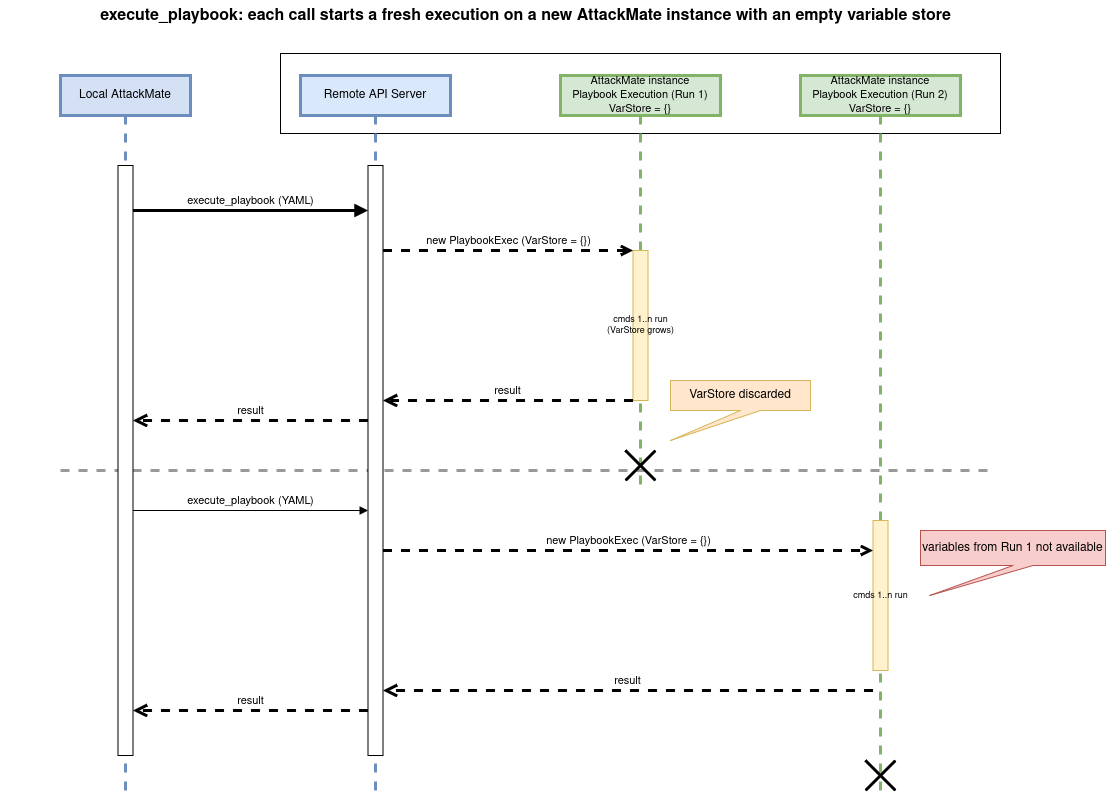
- execute_playbook
Each call starts a completely fresh execution on the remote. The remote server initializes a new AttackMate instance and a new, empty variable store (beyond any
varsdefined in the playbook itself). Variables set during a previousexecute_playbookcall are not available in subsequent runs.
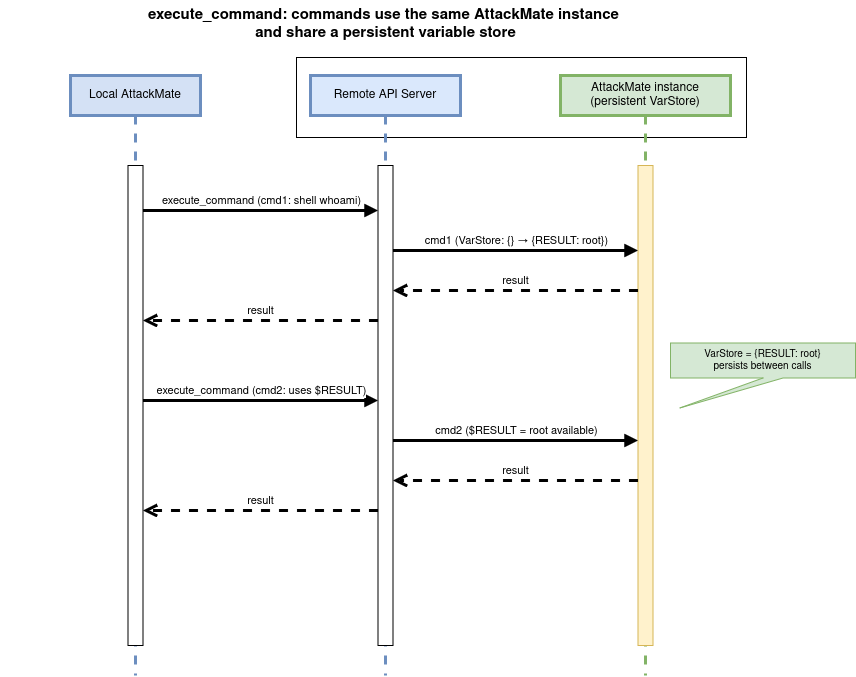
- execute_command
The remote instance maintains a persistent variable store across separate
execute_commandcalls within the same connection. Variables set or captured by earlier commands are therefore available to later commands dispatched to the same remote.
Commands
Execute Command
Executes a single AttackMate command on the remote instance.
commands:
  - type: remote
    cmd: execute_command
    connection: my-remote-instance
    remote_command:
      type: shell
      cmd: whoami
Execute Playbook
Sends a local playbook YAML file to the remote instance and executes it there.
commands:
  - type: remote
    cmd: execute_playbook
    connection: my-remote-instance
    playbook_path: /path/to/playbook.yaml
Options
- cmd
The operation to perform on the remote instance. One of:
execute_command— Execute a single AttackMate command on the remote instance. Requiresremote_commandexecute_playbook— Execute a full playbook YAML file on the remote instance. Requiresplaybook_path
- Type:
str (
execute_command|execute_playbook)- Required:
True
- connection
Name of the remote connection to use, as defined in the
remote_configsection of the AttackMate configuration file. If omitted, the first entry inremote_configis used.- Type:
str
- Default:
first entry in
remote_config- Required:
False
- playbook_path
Path to a local YAML playbook file to sent to and execute on the remote AttackMate. Required when
cmdisexecute_playbook.- Type:
str
- Required:
when
cmd: execute_playbook
- remote_command
An inline AttackMate command to execute on the remote instance. Supports any command type that the remote AttackMate instance is configured to handle (e.g.,
type: shell,type: sliver, etc., EXCEPTtype: remoteitself). Required whencmdisexecute_command.- Type:
RemotelyExecutableCommand
- Required:
when
cmd: execute_command
Examples
Execute a shell command on a remote instance
vars:
  $REMOTE_HOST: my-remote-instance

commands:
  - type: remote
    cmd: execute_command
    connection: $REMOTE_HOST
    remote_command:
      type: shell
      cmd: id
Execute a playbook on the default remote connection
commands:
  - type: remote
    cmd: execute_playbook
    playbook_path: /homeuser/playbooks/recon.yaml